
Not a translation. A separate storefront for each country.
Adding a country to your store is like opening a new shop there. The country gets its own domain, language, currency, prices, payment and shipping options, tax, legal texts, discounts and sitemap. You enter your products once and never build a second store.
Enterprise planNo fee per country; sell in every country Milofly offers.
Each country sells from its own storefront.

Its own domain
Each country is live at its own address with SSL: your own domain or a free subdomain.

Its own language and text direction
The storefront opens in the country's language. For right-to-left languages like Arabic, the page is laid out right to left automatically.

Its own currency and prices
Each country has its own price list in its own currency. These are prices you set, not exchange rate conversions, and price history is kept per country.
Its own payment options
Choose payment providers and methods country by country, each running on your own payment account.

Its own shipping and warehouses
Decide per country which warehouse serves it, the delivery zones, shipping prices and carrier.
Its own tax and invoices
Tax rules and the business profile that issues invoices are set per country, and the tax in the cart comes from that country's rule.

Its own legal texts
Privacy, cookie and sales terms are kept separately for each country, and customer consent is recorded against that country's text.
Its own discounts
Discounts and coupons are set per country, and their start and end times follow that country's time zone.
Its own theme and email sender
Each country can have its own storefront theme and sender address, and customers get emails in that country's language.

Local SEO
Each country's sitemap and product, price and stock structured data are generated on its own domain in its own currency. Pages link to other countries with hreflang, and you track each country in its own Search Console account.

Ads and feeds by country
Merchant Center feeds and Meta and Google accounts connect country by country, so each country's sales are measured in its own account.

Choose where each product sells
Decide which countries each product is sold in. The catalogue is shared; each storefront belongs to its country.

Add a country from the admin
Adding a new sales country takes a few steps in the admin, and the payment and shipping options you can use there are listed automatically.

Team access per country
One person can be an admin for
 Türkiye and have no access to
  Germany.
Milo fills in missing translations
Milo fills the missing languages in the attribute dictionary. Translations you corrected by hand are never overwritten.

An admin in five languages
The admin works in Turkish, English, German, French and Arabic, and each team member picks their own language.
On every plan
What each new country gets of its own.
Everything below is set separately for each country. The same product reaches each country's shoppers through these layers, in their language and at their price.
 Its own domain with SSL
- Its own language, currency and text direction
 Its own price list
- Its own payment and shipping options
- Its own tax rules and invoicing company
- Its own legal texts
- Its own discounts
 Its own theme and email sender
- Its own sitemap, hreflang and Search Console account
One product, three storefronts.
Set up a product once and it appears on each country's storefront in its own language, currency, price and text direction.
- Türkiye in lira and Turkish
- Germany in euro and German
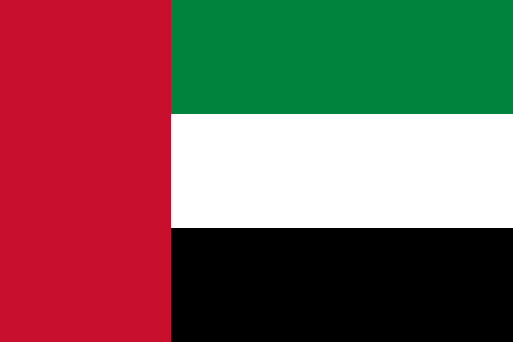 United Arab Emirates in dirham and right-to-left Arabic
- Türkiye
Keten gömlek
899,90 ₺
Sepete ekle - Germany
Leinenhemd
39,90 €
In den Warenkorb - United Arab Emirates
قميص كتان
159.00 د.إ
أضف إلى السلة
Translation versus a storefront for each country.
Translating your site is not enough. Shoppers want to pay in their own currency, with their own payment method, and get delivery from a carrier they know. Search engines also need to see each country as its own site.
With Milofly, each country has
- Its own domain, live with SSL
- Its own price list in its own currency
- Its own payment and shipping options
- Its own tax rules and invoicing company
- Its own legal texts and discounts
- Its own sitemap and Search Console account
With translation only
- A language folder under the same domain
- Prices converted at the exchange rate and never rounded
- The same payment and shipping options for every country
- One tax rule, one company
- One sitemap, and search traffic you cannot follow country by country
Countries you can sell in, and what you can use there.
Each card lists the payment, shipping, sales and ad options you can use in that country.
-
Türkiye
Turkish · TRY ₺
- Payments


- Bank transfer
- Cash on delivery
- Shipping



 Your own carrier
- Sales and ads

 Merchant Center
 Conversions API
 Google Analytics 4
 Tag Manager
 Search Console
- Apps
 PaydaLink
-
Germany
German · EUR €
- Payments

- Apple Pay

- Bank transfer
- Shipping
- Your own carrier
- Sales and ads
- Merchant Center
- Conversions API
- Google Analytics 4
- Tag Manager
- Search Console
- Apps
- PaydaLink

-
United Arab Emirates
Arabic · AED د.إ · right to left
- Payments
- Apple Pay
- Bank transfer
- Shipping
- Your own carrier
- Sales and ads
- Merchant Center
- Conversions API
- Google Analytics 4
- Tag Manager
- Search Console
- Apps
- PaydaLink
 Connect a carrier, tracking or invoicing provider that is not listed as an app; the developer platform is open to everyone. How to connect

Good to know before you start
- Each country's payment and shipping accounts run on your own contracts.
- Milofly does not calculate customs duties or fees. For international shipments it passes the shipment details to the carrier.
Services that work with this feature
Sell internationally: frequently asked questions
Can't find your answer? Write to us from the contact page.
Do I need a second store to sell abroad?
No. Add a new country to your store. Your products stay shared, and each country gets its own domain, language, currency, prices, payments, shipping, tax and legal texts.
How is this different from a translation plugin?
Translation only changes the words. On Milofly each country opens on its own domain with its own price list, payment and shipping options, tax rules, legal texts and sitemap, and search engines see each one as a separate site.
Do I need a separate domain for each country?
Each country is published at its own address: your own domain if you like, or a free subdomain. Domains and SSL are set up in the admin.
Which countries can I sell in?
You can sell in Türkiye, Germany and the United Arab Emirates. The payment, shipping and ad options you can use in each are on the country cards on this page.
Which plan includes international selling?
Included in Enterprise. On that plan, international selling is fully open: add any sales country to your store, with no fee per country. On the other plans your store sells in one country.
Will Google show the right page in each country?
Each country's sitemap is generated on its own domain, and the other country versions of each page are declared with hreflang. You track each country in its own Search Console account and connect Merchant Center feeds country by country.
Will an Arabic storefront look right?
Yes. The storefront is laid out right to left automatically, following the language's writing direction.
Features used together
-
 Multiple storesSkip the extra accounts for your second brand or the stores you manage. Reach them all with one login.
-
PaymentsCard, wallet, bank transfer or cash on delivery, with each country running on your own payment account.
-
Shipping and deliveryShow shoppers one delivery option and one shipping price, while each warehouse ships with its own carrier.
Related posts
Open your store today.
You open your store for free; when you choose a plan, every plan is $299 for the first year, excl. VAT.