
Business details, tax rules and invoices in one place.
For each country you sell in, you decide which company issues the invoice and which rule sets the tax. The tax shown in the cart, charged at checkout and printed on the invoice comes from the same calculation, and every order's invoice record, number and PDF sit in the admin.
On every planIncluded in Starter, Professional and Enterprise.
What's in Invoices and tax

Several business profiles
Set up one or more business profiles for each sales country: legal name, tax details and address. Orders are invoiced with their country's default profile, and one profile can serve several countries.

Invoice numbering
Each business profile has its own invoice prefix, number length and year format, and numbering can restart every year.
Rule-based tax
The tax rate comes, in order, from the rule for the option and country, the product and country, the product, or the country's default. Assign rules one by one, in bulk or to every product at once.

Tax on shipping and add-ons
Tax on shipping is calculated from each shipment's own rate, and tax on add-ons such as gift wrapping from their own rule.

Cart tax equals invoice tax
The tax shown in the cart, charged at checkout and printed on the invoice comes from the same calculation. The rule and rate at the time of the order are stored with it.
Prices with or without tax
Choose whether you enter prices with or without tax. When a rate changes, the old rule stays in the archive.
Order invoices
Manage the invoice record for each order, its status, PDF and printing in one place. List orders without an invoice and issue them in bulk.

Invoices for business customers
Checkout shows the tax fields each country needs; business customers enter their company name and tax number, and the invoice is issued with them.

Your e-invoice provider
Pick your e-invoice provider in the business profile. When an invoice is issued, the provider's app is notified, sends the invoice through the official channel and writes the result back onto the invoice.
with a provider app

Legal texts by country
For
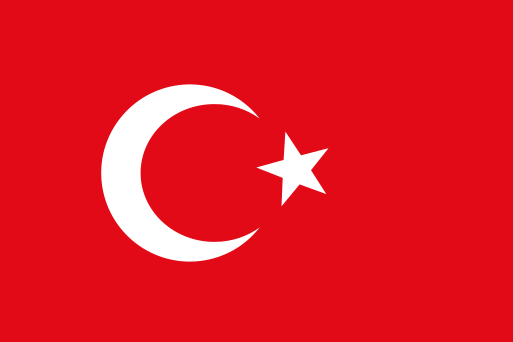 Türkiye, a KVKK notice, privacy and cookie policies and a distance sales contract come ready. Each sales country keeps its own texts, and you edit them with your own details.
Consent records
The consent customers give to legal texts at sign-up and at checkout is recorded.
Cookie banner
Shoppers accept or decline in one click, and their choice is saved.
For businesses selling through more than one company.
If you sell in two countries through two separate companies from the same store, or trade under several legal names in one country, the right company issues the invoice.
What a business profile holds
- Legal name, address and the tax details the country requires
- Invoice prefix, number length, year format and yearly reset
- Which countries it is used in, and whether it is that country's default
- The e-invoice provider that sends the invoice and whether sending is automatic
Where the tax rate comes from
- First, the option's rule for that country
- If none, the product's rule for that country
- If none, the product's rule
- If none, the country's default rule
Good to know before you start
- Milofly does not send official e-Fatura or e-Arşiv invoices itself; your e-invoice provider's app sends them.
- The ready legal texts are starting templates and need to be reviewed for your business.
Invoices and tax: frequently asked questions
Can't find your answer? Write to us from the contact page.
I have several companies. Which one issues the invoice?
Set up one or more business profiles for each sales country and make one of them that country's default. Orders are invoiced by their country's default company, and each profile has its own invoice number sequence.
Can I issue e-invoices?
Milofly records the order invoice, gives it a number and produces the PDF. Official e-Fatura and e-Arşiv sending is done by your provider: it connects to Milofly as an app, is notified when an invoice is issued and writes the result back to the invoice.
Can products have different tax rates?
Yes. Give a tax rule to a product, to one of its options or to a whole country; the most specific rule wins. You can also assign rules in bulk.
Can I enter prices including VAT?
Yes. Choose whether prices are entered with or without tax, and tax is calculated by each country's rules.
Are KVKK and distance sales texts included?
For Türkiye, a KVKK notice, privacy and cookie policies and a distance sales contract come ready. You edit them with your own details and should have them reviewed for your business. Customer consent is recorded.
Can I invoice business customers?
Yes. Checkout shows the tax fields each country needs; business customers enter their company name and tax number, and the invoice is issued with them.
Features used together
-
 PaymentsCard, wallet, bank transfer or cash on delivery, with each country running on your own payment account.
-
Orders and returnsRun an order from the moment it arrives to its return on one screen, with the right email going to the customer at each step.
-
 Sell internationallyNot a translation, a separate storefront for each country: its own domain, language, currency, prices, payments, tax and local SEO.Enterprise plan
Related posts
Open your store today.
You open your store for free; when you choose a plan, every plan is $299 for the first year, excl. VAT.